
Free Reverse Text
Reverse characters, words, complete lines, or characters inside each line with editable output and Unicode-aware character handling.
Browser-local text utility
Runs in your browserEnter your text
Choose the exact operation before creating an output.
Editable plain text · up to 200,000 characters · text is never included in a share URL
0 words0 characters0 lines0 paragraphs
Runs in your browser. The operation is deterministic except an unseeded line shuffle. No source text, result text, seed, search term or comparison content is sent to ScholarTool services.
Current result
Reverse Text results
Every visible metric and finding below comes from the current inputs and result.
Complete an operation to begin
The dashboard will show only real output and observed changes.
0 words0 characters0 lines0 paragraphs
Editable output · these counts and the After card recalculate after manual edits
Detailed findings
Use this result
Result utilities
Exports use the current editable result or comparison.
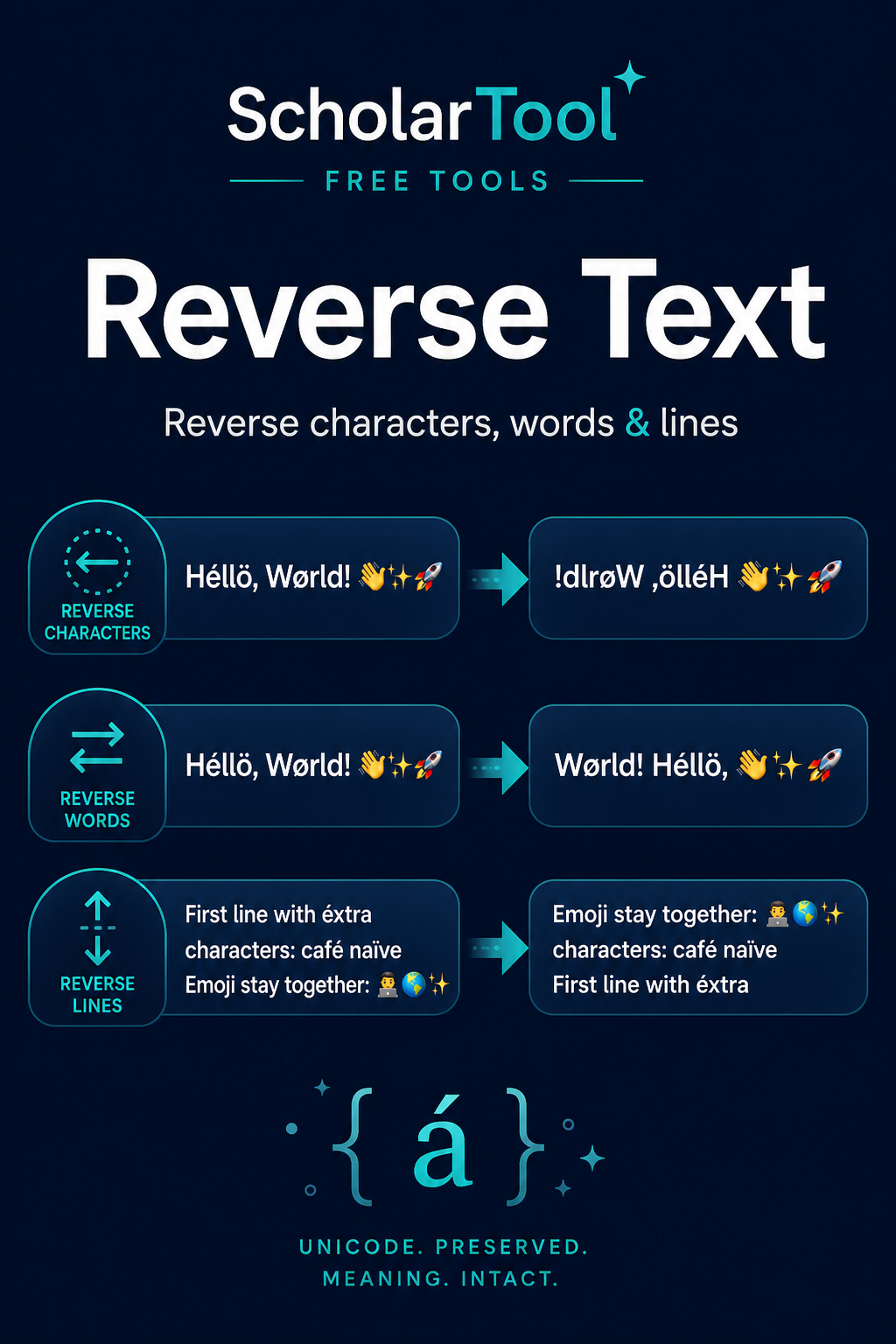
What is text reversal and what does this Reverse Text do?
Text reversal changes the order of selected text units. Reverse Text can reverse grapheme clusters across the full input, reverse word positions while retaining separators, reverse complete line order, or reverse graphemes independently inside every line.
How to use Reverse Text
Enter the text to reverse.
Choose the exact unit and scope: characters, words, lines or characters per line.
Run the transformation and inspect the editable result.
Copy or download the output, restore the source, or apply another mode explicitly.
Key features
- Grapheme-aware character reversal for combined letters and emoji
- Separate word, line-order and per-line character modes
- Original line-ending style retained for line-based modes
- Editable output and real before/after metrics
- Double-reversal workflow for reversible modes
Input guide
The editor accepts plain text up to 2,000 words. Character modes operate on user-perceived grapheme clusters rather than UTF-16 code units. Word mode replaces word-like spans in reverse order while punctuation and whitespace keep their positions.
How to understand your results
The summary identifies the mode, words, characters and lines before and after, plus the number of changed grapheme positions. Structural counts normally remain stable, but character reversal can move punctuation and line breaks because they are part of the chosen sequence.
Worked example
Example input
Café 😊 Second line
How to read it
Reverse characters keeps the combined accented e and emoji intact as grapheme clusters. Reverse line order instead places “Second line” first without altering either line.
Common use cases
- Reverse list order without retyping
- Create mirrored or puzzle text
- Inspect how text behaves under sequence reversal
- Reverse characters separately on multiple lines
Reverse Text guidance and best practices
- Choose line order when each line is a complete record.
- Use characters per line when line boundaries must remain fixed.
- Reverse the result with the same character or line mode to verify a round trip.
Limitations, assumptions and cautions
- Word boundaries are mechanical and may differ for specialized scripts or tokens.
- Bidirectional scripts have display rules that can make logical reversal look unexpected.
- Reversing language changes readability and does not translate or transliterate it.
Privacy and processing
Runs in your browser.
All reversal modes and metrics run in the browser. No entered or reversed text is included in a share URL or rating request.
Continue this workflow
Related tools
These live canonical tools support a practical next step without duplicating this task.
Character CounterMeasure user-visible characters, whitespace, words and structural text counts with Unicode-aware behavior.Text Difference CheckerCompare two editable texts with proven word and line diffs, real addition/deletion counts, and inline or side-by-side views.Text CleanerRemove selected whitespace and formatting noise with independent cleanup options, editable output and a factual operation report.
Helpful answers
Reverse Text FAQs
Clear guidance for choosing and using the catalogue responsibly.
What does Reverse Text do?
It changes the order of characters, word-like units, whole lines or characters within each line according to the selected mode.
Can I reverse characters without reversing line order?
Yes. Choose Reverse characters within each line to keep line positions fixed.
Can I reverse words instead of letters?
Yes. Reverse Words moves word-like spans into reverse order while leaving separator positions available for punctuation and spacing.
Can I reverse the order of lines?
Yes. Reverse Line Order moves the last line first and keeps each line’s content unchanged.
How are emoji and accented characters handled?
Character modes segment grapheme clusters so common emoji sequences and combining marks stay together where the browser supports standard segmentation.
Does reversing text change spaces and punctuation?
Character mode reverses them as graphemes; word mode keeps separator positions; line mode leaves each line unchanged.
Can I reverse the result again to recover the original?
Character, line-order and per-line character modes are reversible when reapplied to an unedited result.
Does the text remain in my browser?
Yes. The complete operation is local to the current browser.